
Fewer missed charges
Keep bar, restaurant, and hotel charges tied back to the right guest account so billable items are less likely to be missed.
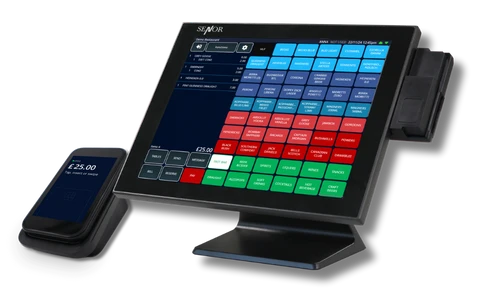
Connect Protel with TapaPOS to support room charges, department mapping, non-product sales handling, and joined-up billing across reception, bar, restaurant, and hotel outlets.
For hotels that want cleaner posting and stronger control over guest billing beyond standard product sales, this integration helps keep day-to-day operations aligned.
Book a DemoAt a glance
TapaPOS can work alongside Protel to support hotel posting workflows, helping guest billing stay more closely connected to departments, non-product sales, and outlet activity across the property.
The biggest value is not just posting standard outlet sales, but keeping extra billing types, department mapping, and guest account activity better connected across the property.
Keep bar, restaurant, and hotel charges tied back to the right guest account so billable items are less likely to be missed.

Help reception, food and drink, and management teams work from a cleaner shared view of guest billing and outlet activity.

Map departments more precisely so Protel reflects the structure of the venue more accurately.

Support gift vouchers, deposits, credit notes, lodgements, and service charges as part of a cleaner hotel billing workflow.

Let teams post eligible spend back to guest accounts more cleanly while keeping outlet and front desk teams aligned.

When departments and charge types are mapped clearly, managers get a more useful view of trading across the business.
Protel integration is most valuable when hotel teams want guest billing and outlet activity to stay aligned across both standard product sales and extra charge types.
In short, this is about giving hotels a more complete picture of guest billing, especially where more than just standard menu items need to be accounted for properly.

Explore the wider hotel EPOS setup, compare PMS options, and see how Protel fits into connected front desk and food-and-drink workflows.
See how hotel EPOS fits around reception, bars, restaurants, room charges, and wider PMS workflows.
Browse the wider PMS integration category including Protel, Guestline, Mews, Oracle OPERA, and others.
Compare hotel PMS options and see how different integrations fit into the wider TapaPOS hotel workflow.
FAQ
Yes. Protel can support full posting with TapaPOS, helping hotels keep guest billing and outlet activity more closely connected.
Yes. Gift vouchers, deposits, credit notes, lodgements, and service charges can all be handled as part of the wider Protel posting workflow.
Protel mapping typically relies on the internal IDs used by TapaPOS for departments and other items, so the setup can align correctly between the two systems.
Connectivity is usually checked against the pcon host and port used by the property, helping confirm that the systems can communicate before go-live.
Yes. It is especially useful for properties that need guest billing to account for additional charge types more cleanly, not just standard product sales.